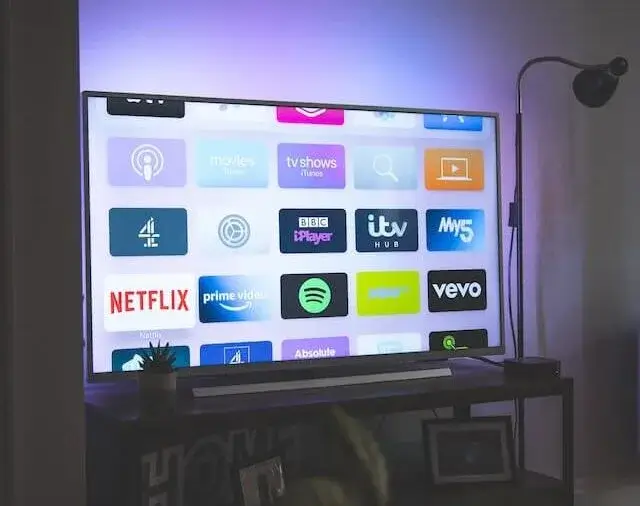
To stream BBC iPlayer content, you will need a broadband speed of at least 1.5 megabits per second (Mbps). This should allow you to watch standard definition (SD) content without any issues. If you want to watch high-definition (HD) content, you will need a faster broadband speed of at least 5.0 Mbps.
It’s worth noting that these are the minimum recommended speeds for streaming BBC iPlayer. If you have multiple devices connected to your home network and are using them to stream video or perform other data-intensive tasks, you may need a faster broadband speed to ensure that all devices can work smoothly.
What is Broadband Speed?
Broadband speed refers to the rate at which data is transmitted over a high-speed internet connection. It is typically measured in megabits per second (Mbps) and determines how quickly information can be sent and received over the internet, affecting the speed and quality of online activities such as streaming, browsing, and downloading.
How do I test my broadband speed?
You can test your broadband speed using an online speed test tool. Here are the steps to test your broadband speed:
- Find a speed test website: There are many free speed test websites available online, such as our broadband speed test or others such as speedtest.net or fast.com.
- Connect to the internet: Connect your device to the internet via Wi-Fi or Ethernet cable.
- Run the test: Open the speed test website, and click the “start test” button. The website will measure the download and upload speed of your internet connection.
- Review the results: After the test is complete, the website will display the results, including your download and upload speeds, as well as your ping (latency).
Note: It’s important to run the test several times at different times of the day to get an accurate average, as internet speed can fluctuate depending on various factors such as network congestion and server load.
How Can I improve my speed for BBC iPlayer?
Here are a few ways to improve your speed for BBC iPlayer:
- Check your internet connection speed: You can do this by using an online speed test tool. The recommended minimum broadband speed for BBC iPlayer is 1.5 Mbps.
- Connect to a wired network: If possible, connect your device to the internet using an Ethernet cable, as this provides a faster and more stable connection than Wi-Fi.
- Reset your router: Restarting your router can help resolve any connectivity issues and improve speed.
- Close other devices and applications: If other devices or applications are using the internet at the same time, it can slow down your connection. Closing these can help improve your speed.
- Update your browser: Outdated software can slow down your internet connection.
- If you are streaming in HD, try reducing the quality of the stream: If the video quality is set to high, it can cause buffering and slow down your speed. Try reducing the quality to a lower setting.
These are just a few of the many ways to improve your speed for BBC iPlayer. If your internet connection remains slow after trying these tips, you may want to contact your broadband provider for further assistance.
iPlayer quality settings and what each one needs
BBC iPlayer adjusts quality automatically based on the connection it detects, which is why the picture sometimes starts soft and sharpens after a few seconds. You can usually override this in the player settings if you would rather force a lower quality and avoid buffering altogether.
Roughly what each level asks for, per stream:
| Quality | Speed needed |
|---|---|
| Standard definition | Around 1.5 Mb |
| High definition | Around 5 Mb |
| Ultra HD, on selected programmes | Considerably more, typically 20 Mb or above |
Only a small amount of iPlayer content is available in Ultra HD, usually major live events and a handful of flagship programmes, so most viewing sits in the first two rows.
Downloading instead of streaming
The iPlayer mobile and tablet apps let you download programmes to watch offline. This is the single most effective answer to an unreliable connection, because the download can take as long as it needs in the background and playback then does not depend on your broadband at all.
It is worth doing before a journey, and it is worth doing at home too if your wifi struggles in the room you watch in. Downloads expire after a period set by the BBC, so they are not a permanent copy.
Why iPlayer buffers when your speed looks fine
If a speed test says you have plenty of headroom and iPlayer still stutters, the broadband is rarely the culprit. The usual causes are:
- Wifi rather than broadband. Test on a wired device and again on the device you watch on. A large gap points at the wifi. Our guide to boosting your home wifi signal covers the fixes.
- An older television or streaming stick that cannot use the faster wifi bands, so it connects slowly no matter what your package is.
- Peak time congestion between roughly 8pm and 10pm, when demand on the local network is highest.
- Live events. Enormous simultaneous audiences occasionally cause problems at the broadcaster rather than at your end.
Watching on several devices at once
The figures above are per stream. A household watching iPlayer in two rooms needs both allowances at the same time, on top of anything else using the connection. Two HD streams come to around 10 Mb, which is well within reach of any current package but can be a genuine squeeze on an old ADSL line.
If you are regularly running out of capacity, the problem is the package rather than the setup. Check what is available at your address and compare broadband deals, or read our guide to what broadband speed you really need first.